Practice dashboard
User management
Admins can add new users and manage access to the dashboard on behalf of their teams.
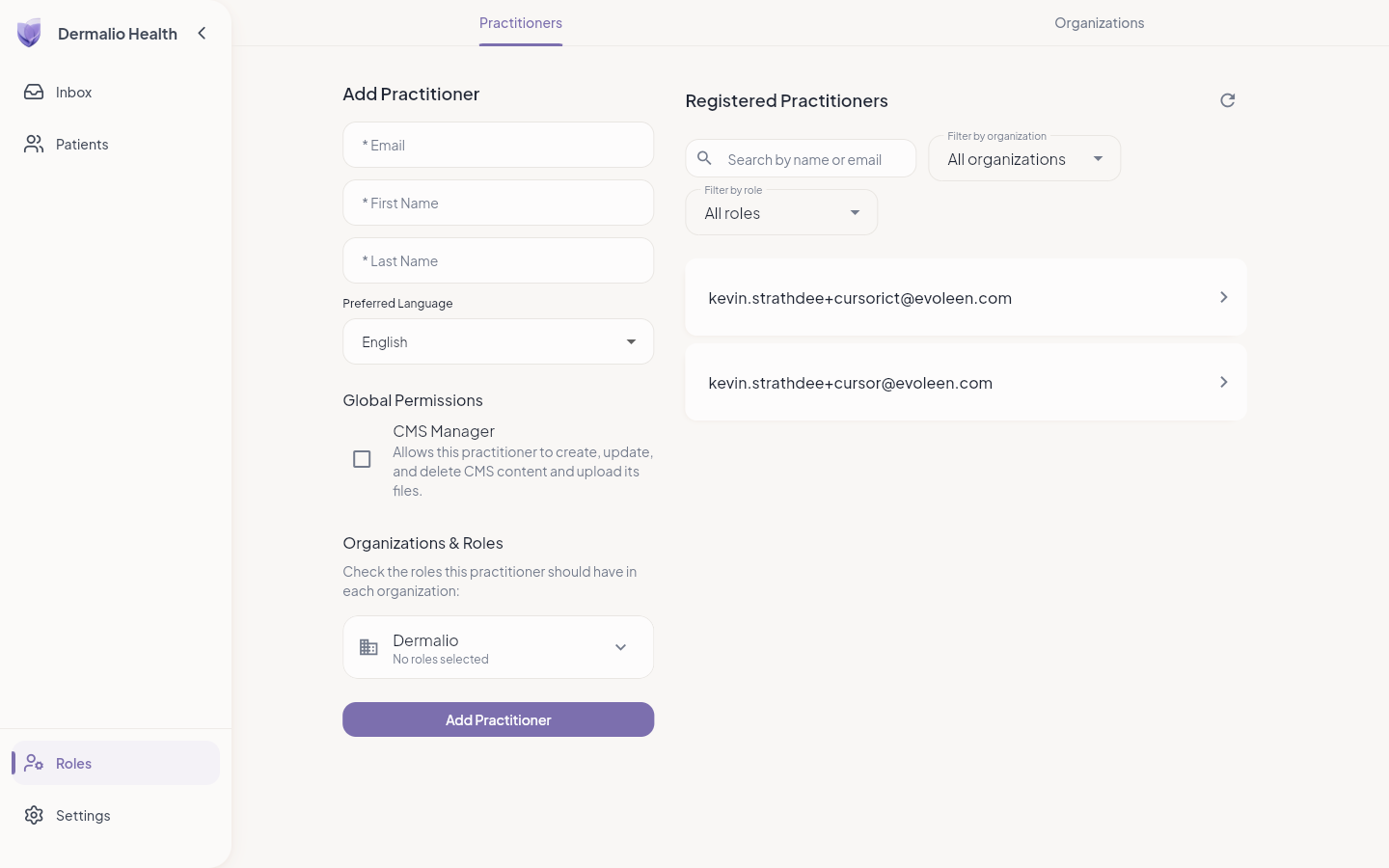
- Open Roles → Practitioners.
- Choose Add Practitioner.
- Enter Email (must match their sign-in address), First name, Last name, and Preferred Language.
- Under Organizations and roles, tick Admin, Dermatologist, and/or Clinical Assistant for your organization. At least one role is required.
- Choose Add Practitioner.
- To edit later: open the person → Manage Access → change name or roles → Save.
- Deactivate removes access; Reactivate restores it.